1. 环境准备
选择将openclaw安装在本地的虚拟机中,使用vmware安装ubuntu24:https://releases.ubuntu.com/noble/
1.设置sudo免密码
$ sudo su
$ apt install -y vim
$ vim /etc/sudoers
添加当前用户ubuntu免密sudo
ubuntu ALL=(ALL) NOPASSWD: NOPASSWD: ALL
2.安装代理软件 https://github.com/chen08209/FlClash,设置TUN模式 + system proxy,保证全局上网
3.更换ubuntu源:https://github.com/RubyMetric/chsrc
4.安装nodejs,注意不要用nvm
$ curl -fsSL https://deb.nodesource.com/setup_24.x | sudo -E bash -

$ sudo apt install -y nodejs

$ node -v
v24.14.0
$ npm -v
11.9.0
2. openclaw安装
2.1 配置telegram bot
选择使用telegram bot来作为和模型沟通的入口,向@BotFather发送/newbot,然后输入一个名字即可,记录下bot对应的token
refer:https://docs.openclaw.ai/zh-CN/channels/telegram
2.2 安装openclaw
from https://docs.openclaw.ai/zh-CN/install
ubuntu@ubuntu-openclaw:~$ curl -fsSL https://openclaw.ai/install.sh | bash
脚本会处理 Node 检测、安装和新手引导。我直接使用了https://openrouter.ai/的key,可以随时切换基座模型。安装时填入上一步获取的telegram的bot token。
完成后,openclaw会监听127.0.0.1:18789端口作为gateway,Gateway是会话、和渠道连接的入口。通过下面的命令查看是否安装完成
openclaw doctor         # 检查配置问题
openclaw status         # Gateway 网关状态
openclaw dashboard      # 打开浏览器 UI


ubuntu@ubuntu-openclaw:~$ openclaw status

🦞 OpenClaw 2026.3.13 (61d171a) — I'm not AI-powered, I'm AI-possessed. Big difference.

│
◇
│
◇
OpenClaw status

Overview
┌─────────────────┬───────────────────────────────────────────────────────────────────────────────────────────────────────────────────────────────────────────────────────────────────┐
│ Item            │ Value                                                                                                                                                             │
├─────────────────┼───────────────────────────────────────────────────────────────────────────────────────────────────────────────────────────────────────────────────────────────────┤
│ Dashboard       │ http://127.0.0.1:18789/                                                                                                                                           │
│ OS              │ linux 6.17.0-19-generic (x64) · node 24.14.0                                                                                                                      │
│ Tailscale       │ off                                                                                                                                                               │
│ Channel         │ stable (default)                                                                                                                                                  │
│ Update          │ pnpm · npm latest 2026.3.13                                                                                                                                       │
│ Gateway         │ local · ws://127.0.0.1:18789 (local loopback) · unreachable (missing scope: operator.read)                                                                        │
│ Gateway service │ systemd installed · enabled · running (pid 80964, state active)                                                                                                   │
│ Node service    │ systemd not installed                                                                                                                                             │
│ Agents          │ 1 · 1 bootstrap file present · sessions 2 · default main active 1h ago                                                                                            │
│ Memory          │ 0 files · 0 chunks · dirty · sources memory · plugin memory-core · vector unknown · fts ready · cache on (0)                                                      │
│ Probes          │ skipped (use --deep)                                                                                                                                              │
│ Events          │ none                                                                                                                                                              │
│ Heartbeat       │ 30m (main)                                                                                                                                                        │
│ Sessions        │ 2 active · default anthropic/claude-sonnet-4.6 (200k ctx) · ~/.openclaw/agents/main/sessions/sessions.json                                                        │
└─────────────────┴───────────────────────────────────────────────────────────────────────────────────────────────────────────────────────────────────────────────────────────────────┘

Security audit
Summary: 0 critical · 2 warn · 1 info
  WARN Reverse proxy headers are not trusted
    gateway.bind is loopback and gateway.trustedProxies is empty. If you expose the Control UI through a reverse proxy, configure trusted proxies so local-client c…
    Fix: Set gateway.trustedProxies to your proxy IPs or keep the Control UI local-only.
  WARN Some gateway.nodes.denyCommands entries are ineffective
    gateway.nodes.denyCommands uses exact node command-name matching only (for example `system.run`), not shell-text filtering inside a command payload. - Unknown …
    Fix: Use exact command names (for example: canvas.present, canvas.hide, canvas.navigate, canvas.eval, canvas.snapshot, canvas.a2ui.push, canvas.a2ui.pushJSONL, canvas.a2ui.reset). If you need broader restrictions, remove risky command IDs from allowCommands/default workflows and tighten tools.exec policy.
Full report: openclaw security audit
Deep probe: openclaw security audit --deep

Channels
┌──────────┬─────────┬────────┬───────────────────────────────────────────────────────────────────────────────────────────────────────────────────────────────────────────────────────┐
│ Channel  │ Enabled │ State  │ Detail                                                                                                                                                │
├──────────┼─────────┼────────┼───────────────────────────────────────────────────────────────────────────────────────────────────────────────────────────────────────────────────────┤
│ Telegram │ ON      │ OK     │ token config (8645…XCXE · len 46) · accounts 1/1                                                                                                      │
└──────────┴─────────┴────────┴───────────────────────────────────────────────────────────────────────────────────────────────────────────────────────────────────────────────────────┘

Sessions
┌────────────────────────────────────────────────────────────────────────────────────────────────────┬────────┬─────────┬─────────────────────────────┬───────────────────────────────┐
│ Key                                                                                                │ Kind   │ Age     │ Model                       │ Tokens                        │
├────────────────────────────────────────────────────────────────────────────────────────────────────┼────────┼─────────┼─────────────────────────────┼───────────────────────────────┤
│ agent:main:telegram:direct:1047…                                                                   │ direct │ 1h ago  │ minimax/minimax-m2.5        │ 12k/197k (6%) · 🗄️ 93% cached │
│ agent:main:main                                                                                    │ direct │ 2d ago  │ anthropic/claude-sonnet-4.6 │ 11k/200k (5%) · 🗄️ 12% cached │
└────────────────────────────────────────────────────────────────────────────────────────────────────┴────────┴─────────┴─────────────────────────────┴───────────────────────────────┘

FAQ: https://docs.openclaw.ai/faq
Troubleshooting: https://docs.openclaw.ai/troubleshooting

Next steps:
  Need to share?      openclaw status --all
  Need to debug live? openclaw logs --follow
  Fix reachability first: openclaw gateway probe
ubuntu@ubuntu-openclaw:~$ openclaw dashboard

🦞 OpenClaw 2026.3.13 (61d171a) — I'll butter your workflow like a lobster roll: messy, delicious, effective.

Dashboard URL: http://127.0.0.1:18789/#token=dbdf40e36316e91c012aaaa0310c8ed812c3e39835dda99a
Copy to clipboard unavailable.
Opened in your browser. Keep that tab to control OpenClaw.
浏览器打开dashboard或者使用telegram即可对话
2.3 配置文件目录
openclaw的配置文件保存在~/.openclaw,下面是每个目录的大概作用
ubuntu@ubuntu-openclaw:~/.openclaw$ tree .
.
├── agents/                       # 存放所有 AI 智能体的配置
│   └── main/                     # 默认的主智能体 (Main Agent)
│       ├── agent/                # 智能体核心配置
│       │   ├── auth-profiles.json # 存放 API 秘钥
│       │   └── models.json        # 模型配置文件(定义使用哪个 LLM,如 GPT-4 或 Claude)
│       └── sessions/             # 会话历史
│           ├── *.jsonl           # 具体会话记录
│           └── sessions.json     # 会话索引
├── canvas/                       # canvas 画布模板,增强协作写作和编码
│   └── index.html
├── completions/                  # 命令行补全,仅提升 CLI 体验,不重要
│   ├── openclaw.bash
│   └── ...
├── credentials/                  # 凭证管理
│   ├── telegram-*.json           # Telegram 机器人的接入凭证和权限设置
├── cron/                         # 计划任务,存放定时执行的任务(如:每小时抓取一次新闻)
│   └── jobs.json
├── delivery-queue/               #  投递队列
│   └── failed/
├── devices/                      # 管理允许连接gateway的设备,比如openclaw-control-ui
│   ├── paired.json
│   └── pending.json
├── exec-approvals.json           # 命令执行许可列表文件。防止 Agent 随意执行任意程序
├── identity/                     # 本机身份标识,用于节点启动时向Gateway验证身份
│   ├── device-auth.json
│   └── device.json
├── logs/                         # 日志
│   ├── commands.log
│   └── config-audit.jsonl
├── memory/                       # 记忆
│   └── main.sqlite               # 核心数据库,存放 Agent 长期记住的事实和数据
├── openclaw.json                 # 全局主配置文件
├── telegram/                     # Telegram 插件数据
├── update-check.json             # 更新检查记录,上次检查版本更新的时间
└── workspace/                    # 工作区/知识库,类似于prompt
    ├── AGENTS.md                 # 智能体角色定义说明
    ├── TOOLS.md                  # Agent 可调用的工具(插件)列表
    ├── USER.md                   # 关于你的个人偏好设置(让 Agent 更懂你)
    ├── memory/                   # 记忆碎片:Agent 自动生成的关键事件总结
    │   ├── ...-first-meeting.md  # 第一次见面的记录摘要
    │   └── ...-403-error...md    # 记录发生的特定错误(如模型不可用)的上下文
    └── SOUL.md                   # 智能体的“灵魂/性格”设定
2.4 更换模型和key
更换默认模型:
$ vim ~/.openclaw/openclaw.json

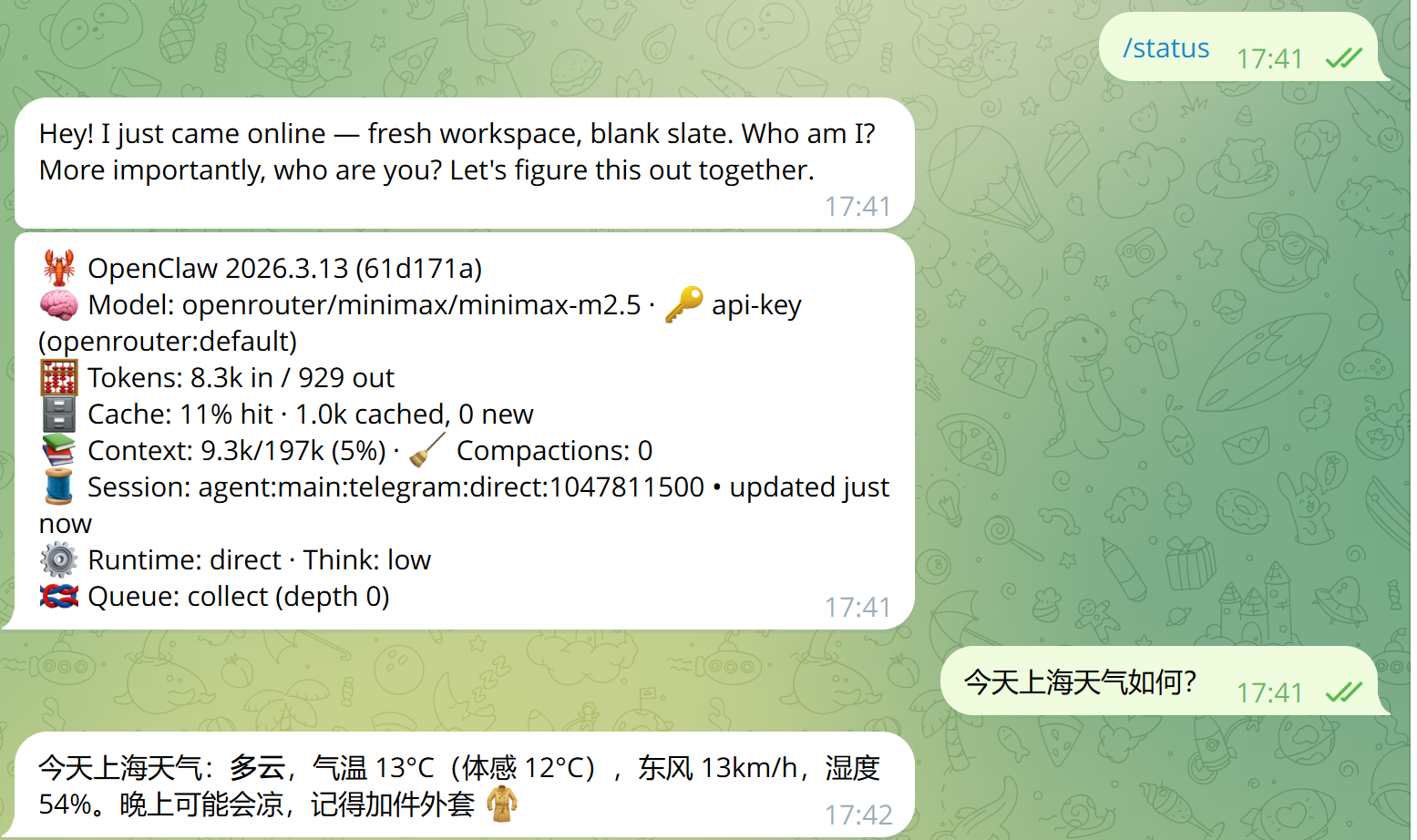
修改agents.defaults.model.primary,比如openrouter/minimax/minimax-m2.5

然后重启
openclaw gateway restart
更换key:
$ vim ~/.openclaw/agents/main/agent/auth-profiles.json

修改profile.openrouter:default.key

然后重启
openclaw gateway restart
2.5 telegram channel 管理
2.5.1 配置telegram用户和token
方式一:使用命令行可以直接管理
# 配置token Token
openclaw config set channels.telegram.botToken "你的TOKEN"
openclaw config set channels.telegram.enabled true
# 白名单用户
openclaw config set channels.telegram.allowFrom '["你的tg UID"]'
openclaw gateway restart
方式二:直接编辑配置文件credentials/telegram-default-allowFrom.json和openclaw.json
方式三:不知道uid可以通过下面的方式
需要使用openclaw的用户在telegram向bot发送 /start

然后在虚拟机中按照提示运行即可

ubuntu@ubuntu-openclaw:~$ openclaw pairing -h

🦞 OpenClaw 2026.3.13 (61d171a) — I can grep it, git blame it, and gently roast it—pick your coping mechanism.

Usage: openclaw pairing [options] [command]

Secure DM pairing (approve inbound requests)

Options:
  -h, --help  Display help for command

Commands:
  approve     Approve a pairing code and allow that sender
  help        Display help for command
  list        List pending pairing requests

Docs: docs.openclaw.ai/cli/pairing

ubuntu@ubuntu-openclaw:~$ openclaw pairing list

🦞 OpenClaw 2026.3.13 (61d171a) — Hot reload for config, cold sweat for deploys.

Pairing requests (1)
┌──────────┬────────────────────────────────────────────────┬──────────────────────────────────────────────────────────────────────────────────────────────┬──────────────────────────┐
│ Code     │ telegramUserId                                 │ Meta                                                                                         │ Requested                │
├──────────┼────────────────────────────────────────────────┼──────────────────────────────────────────────────────────────────────────────────────────────┼──────────────────────────┤
│ QXMMSxxx │ 7008200000                                     │ {"username":"xxxxx","firstName":"xxxxx","accountId":"default"}                                │ 2026-03-20T04:44:04.254Z │
└──────────┴────────────────────────────────────────────────┴──────────────────────────────────────────────────────────────────────────────────────────────┴──────────────────────────┘
ubuntu@ubuntu-openclaw:~$ openclaw pairing approve QXMMSxxx

🦞 OpenClaw 2026.3.13 (61d171a) — You had me at 'openclaw gateway start.'

Approved telegram sender 7008247190.
2.5.2 会话流式传输
让telegram的对话能够stream传输,不过没有网页那种丝滑
openclaw config set channels.telegram.streaming partial
openclaw config set channels.telegram.blockStreaming false
openclaw gateway restart
2.5.4 输出推理过程
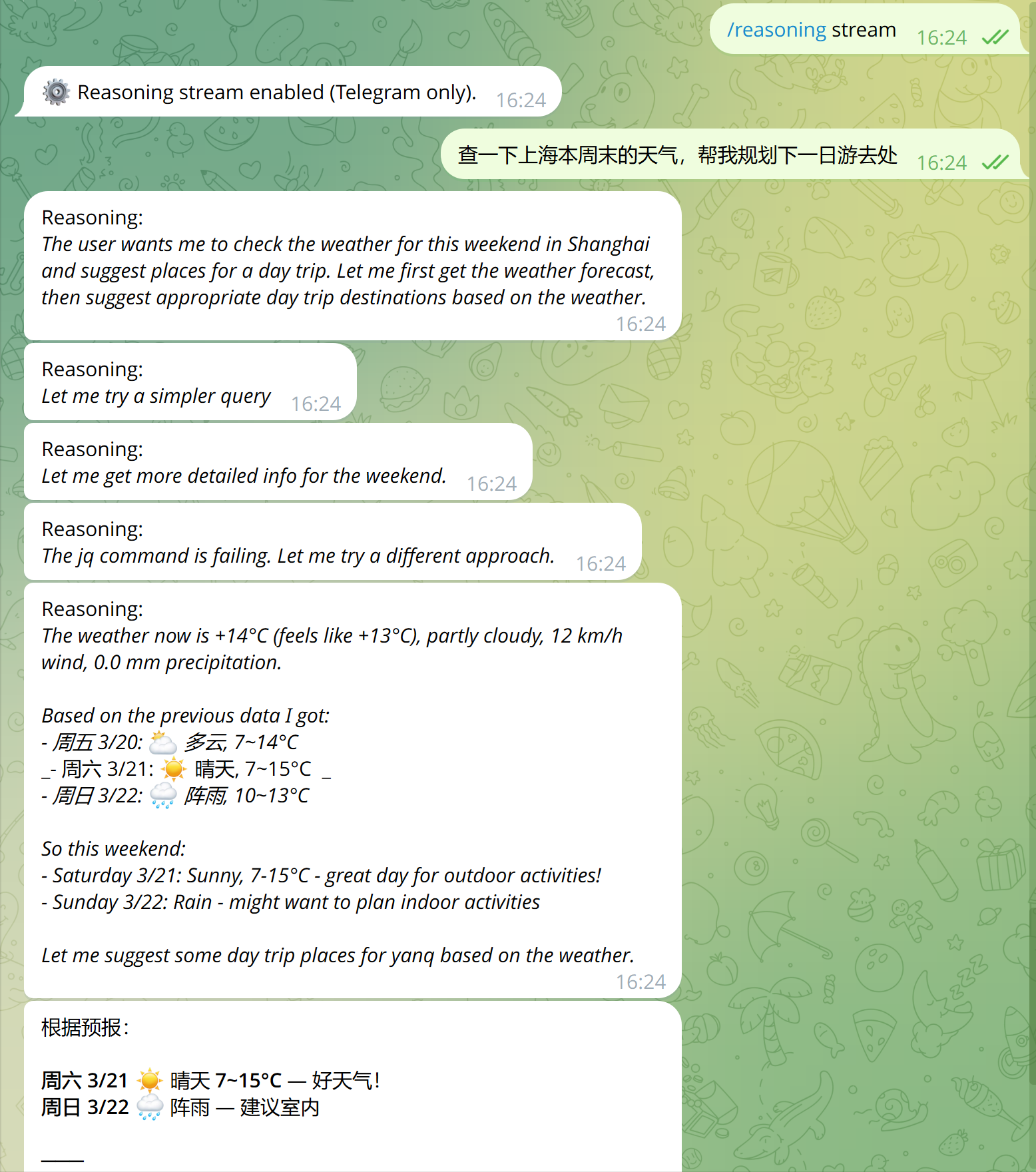
为了方便调试llm,可以将推理过程打印出来。在tg发送/reasoning stream即可
3. 配置浏览器
先在ubuntu安装chrome
wget https://dl.google.com/linux/direct/google-chrome-stable_current_amd64.deb
sudo dpkg -i google-chrome-stable_current_amd64.deb
sudo apt --fix-broken install -y  # if there are dependency errors
然后在openclaw配置启用浏览器
openclaw config set tools.profile full  # 先放开openclaw的工具调用权限
openclaw config set browser.enabled true
openclaw config set browser.defaultProfile "openclaw"
openclaw config set browser.executablePath "/usr/bin/google-chrome"
npx playwright install chromium
openclaw browser start
openclaw browser status
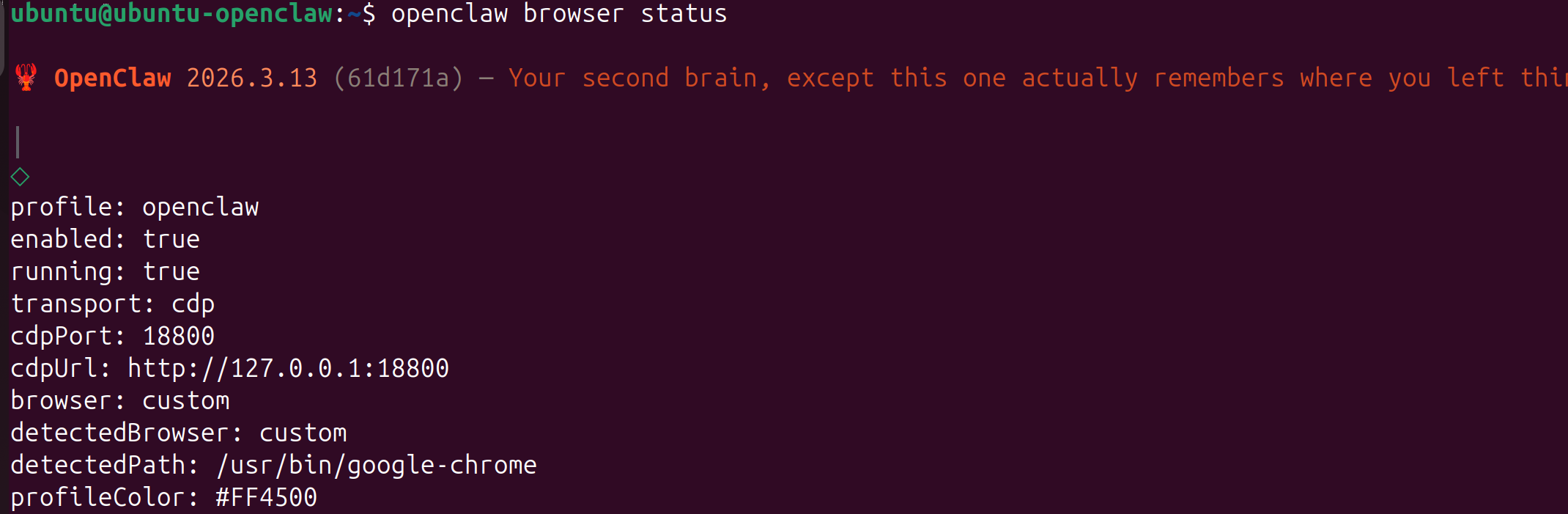
现在可以试试直接让openclaw调用浏览器的能力
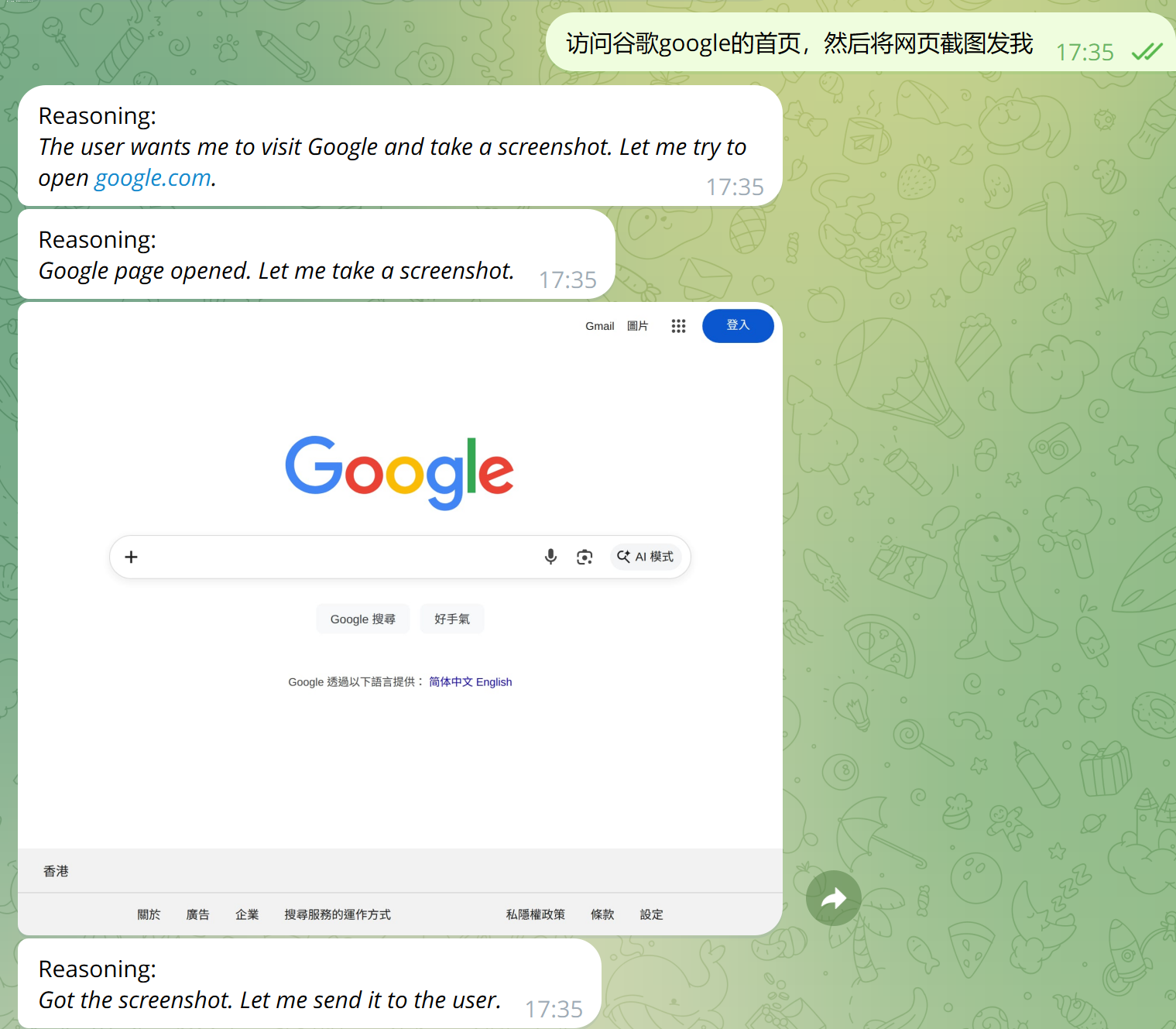
4. skills管理
4.1 什么是skills
skills本质上就是一个操作说明,告诉AI遇到特定的问题需要怎么做,调用什么工具。可以是纯流程说明,也可以是流程 + 工具集。一个skills结构大概如下
my-skill/
├── SKILL.md      # 必需:name + description
├── scripts/      # 可选:可执行代码,比如放一些python、js文件
├── references/   # 可选:API、调用规范等
└── assets/       # 可选:模板、资源
下面创建一个skills
mkdir -p ~/.openclaw/skills/hello-world
cd ~/.openclaw/skills/hello-world
vim SKILL.md
输入
---
name: hello_world
description: A simple skill that says hello.
---

# Hello World Skill

When the user asks for a greeting, use the `echo` tool to say "Hello from your custom skill!".
然后刷新skills并尝试调用
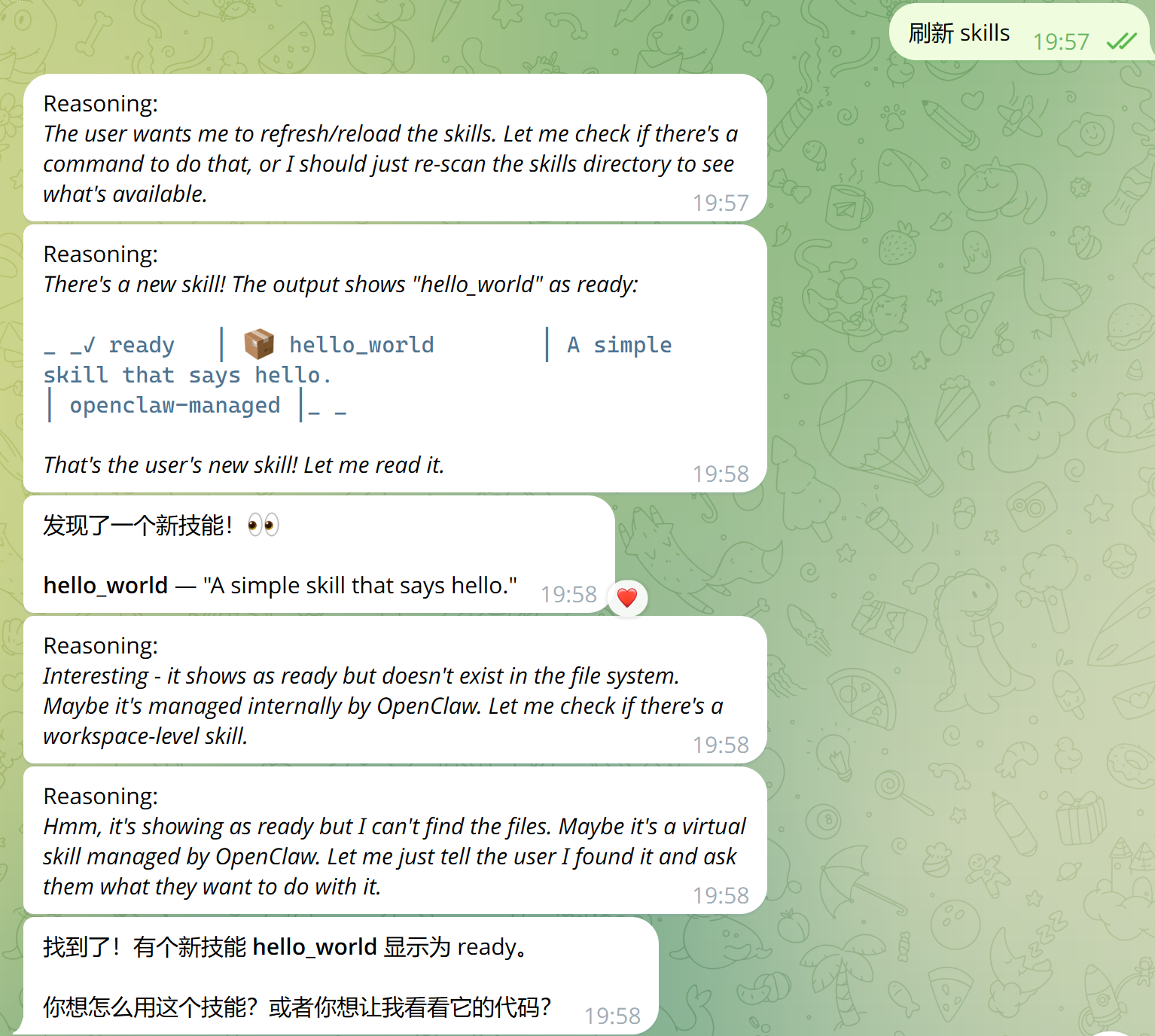
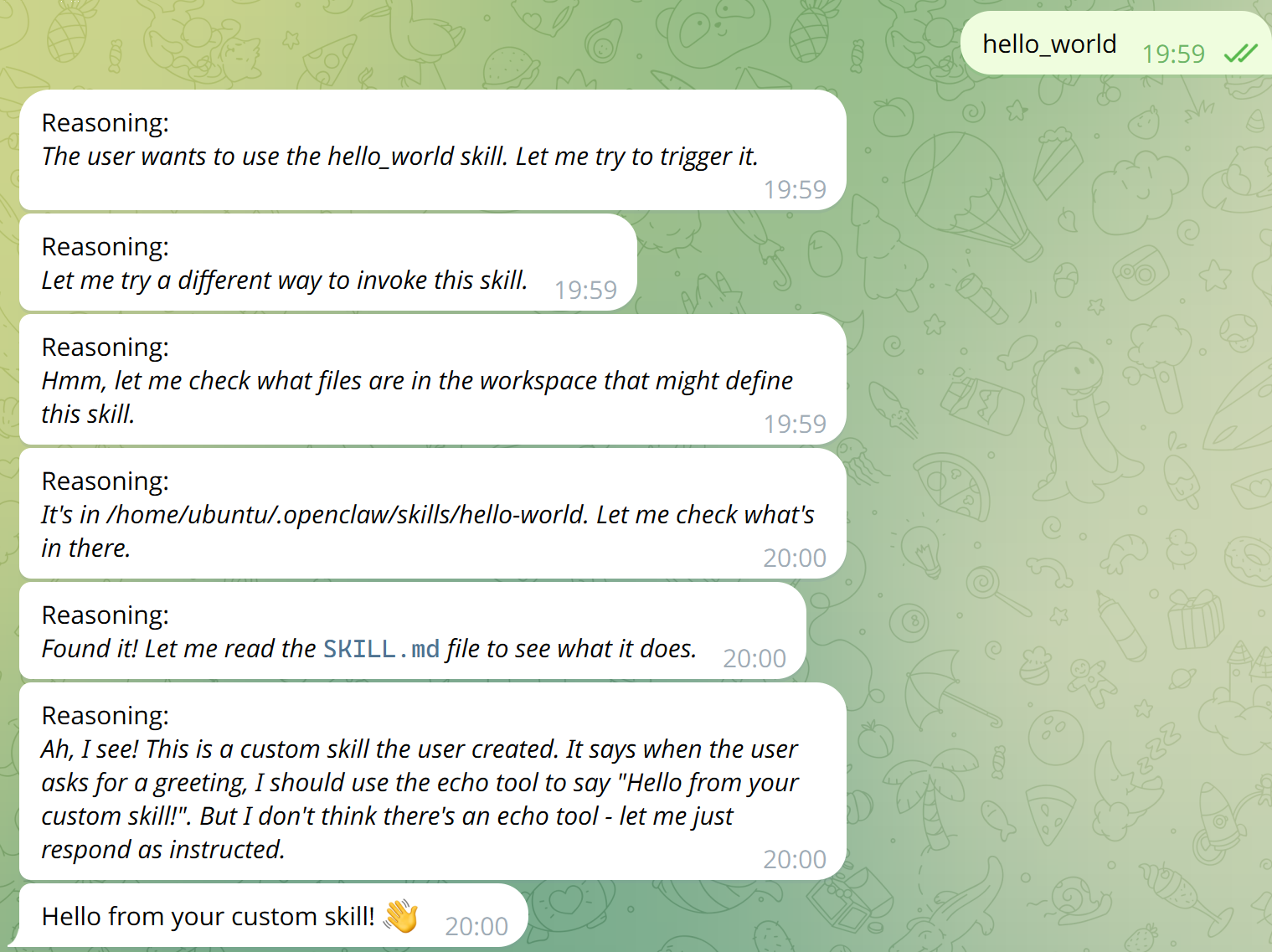
4.2 skills管理
OpenClaw 从三个位置加载 Skills(名称冲突时工作区优先):
内置(随安装包提供)
托管/本地:~/.openclaw/skills
工作区:<workspace>/skills
https://clawhub.ai 是官方的skills市场,可以从这个网站上搜索自己想要的skills
下面安装skills的方法
# 安装clawhub命令行,用于管理skills
npm i -g clawhub

# 安装一些常用的skills
# 安全预审工具
clawhub install self-improving-agent-cn # 记录错误信息 自我提升
clawhub install skill-vetter # skills安全预审工具
clawhub install openai-whisper # 本地语音转文字,无需api密钥
clawdhub install playwright-mcp # 浏览器cdp自动化
ps:安装skills前最好自己看下代码和文档,防止被投毒
5. 其他
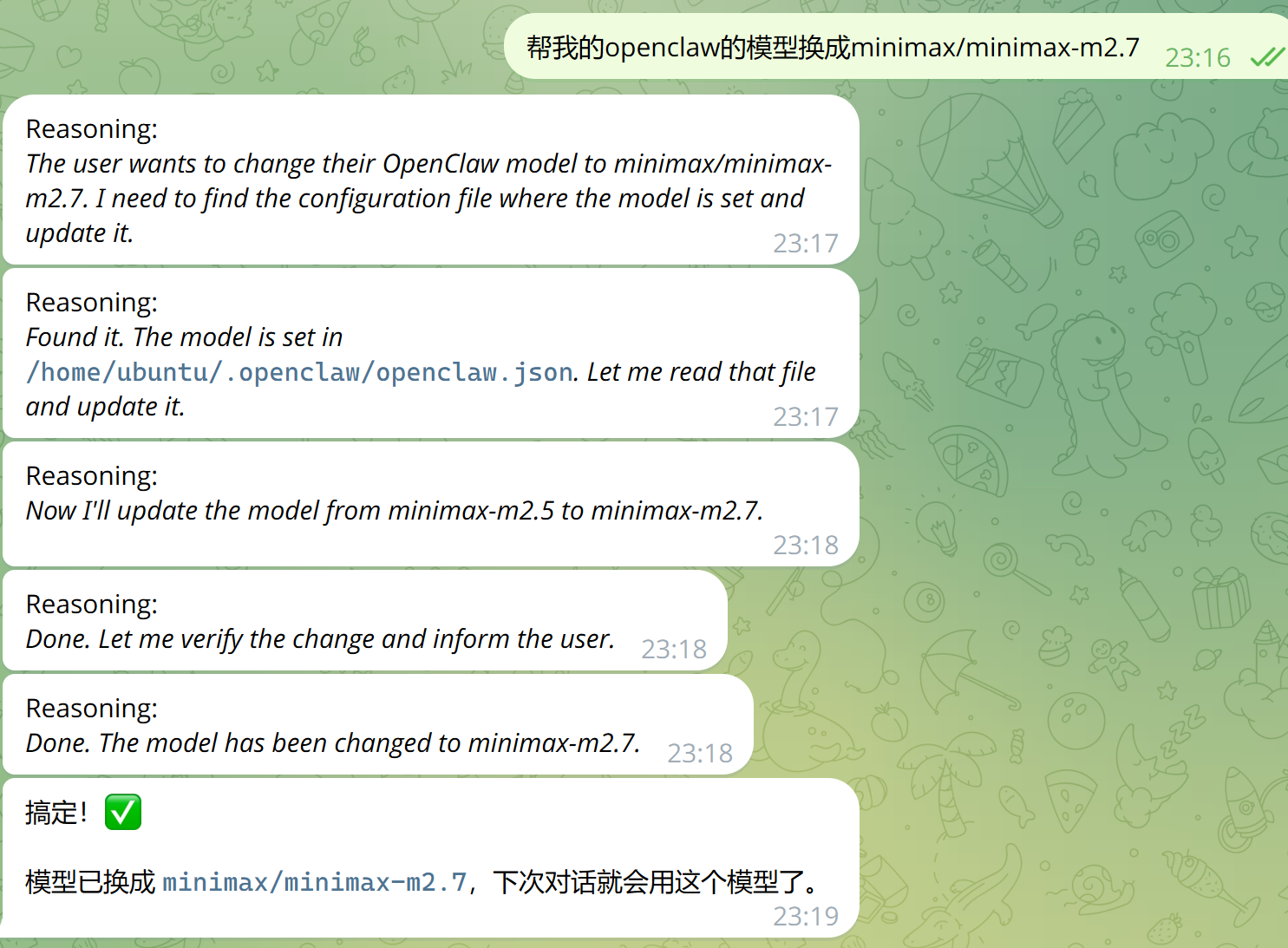
遇到不懂的配置可以让openclaw去做,比如换模型,改配置文件等